> For the complete documentation index, see [llms.txt](https://developers-apps-in-toss.toss.im/llms.txt). Markdown versions of documentation pages are available by appending `.md` to page URLs; this page is available as [Markdown](https://developers-apps-in-toss.toss.im/guide/zh/marketing/open-graph.md).
# OG 图片
### 什么是OG图片(Open Graph)
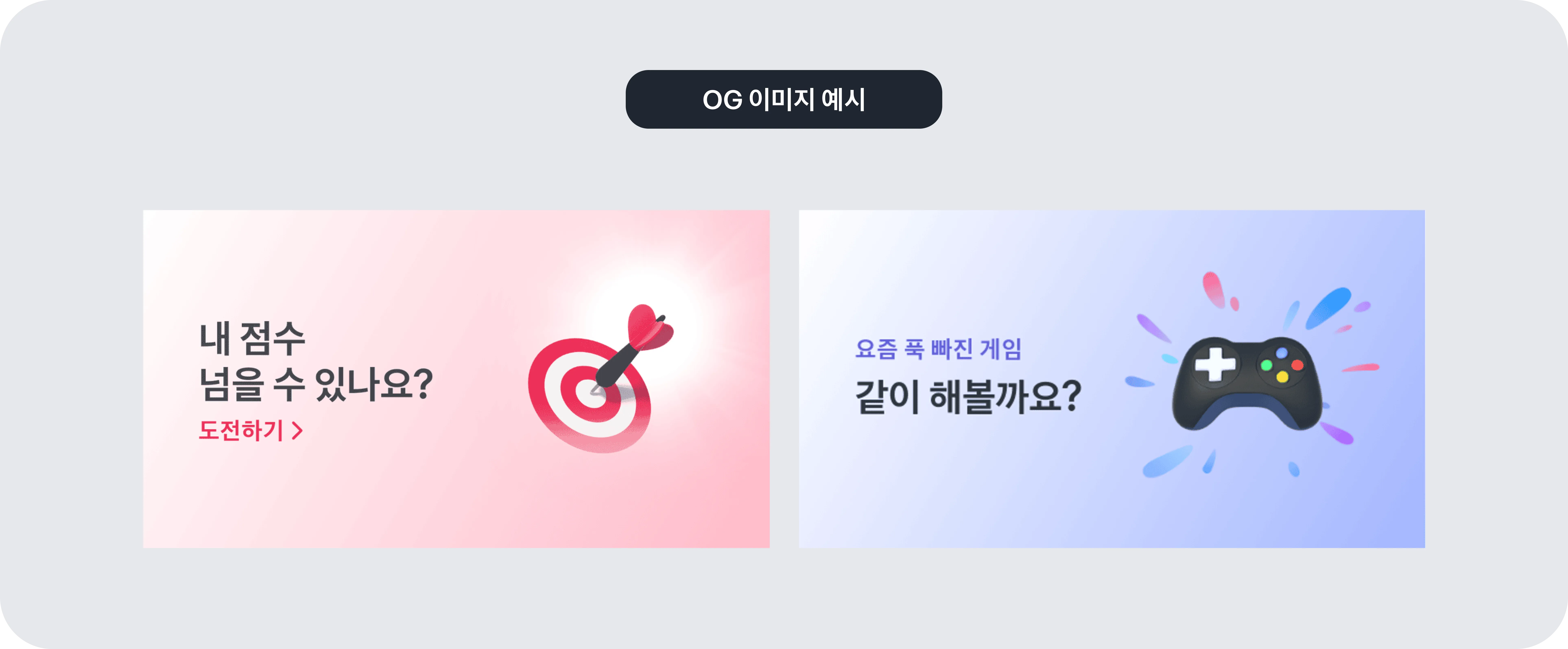
OG图片是迷你应用的分享链接在 KakaoTalk 等社交平台上被分享时一同显示的代表图片。\
因为它是用户收到链接时首先识别的视觉元素,所以会对第一印象产生很大影响。\
在 App in Toss 中,我们提供 OG 图片功能,帮助合作伙伴更有效地进行营销。\
分享迷你应用链接时,可以预先设置会自动展示的缩略图。
***
### 使用OG图片有什么好处
**可以提升迷你应用的认知度**
可以展示包含迷你应用氛围或核心信息的图片。用户仅凭链接就能轻松理解这是什么服务。
**更有可能引导用户访问迷你应用**
如果同时展示视觉上醒目的图片,用户点击链接的概率会提高。因此可以自然地引导到迷你应用访问。
**可以有效展示你想传达的信息**
像活动或宣传活动这样必须告知的内容,也可以放入图片中,以直观地传达。
***
### OG图片规则
以下内容是使用 OG 图片时必须遵守的标准。\
如果在监测过程中发现未遵守规则,可能会被要求修改或限制展示。
**请将图片尺寸制作成 1200 × 600**
OG 图片必须制作成宽 1200 像素、高 600 像素的尺寸。
**请使用高画质图片**
请上传清晰的图片。低画质图片会降低完成度,也可能对服务印象产生负面影响。
**请不要包含敏感或不当用语**
请不要使用脏话、俚语、政治性表达等刺激性用语。重要的是使用任何人都不会感到不适的表达。
**请不要在缩略图中加入过多文字**
不能使用会过度吸引眼球的尺寸或设计的文字。文字过多可能会让图片看起来很复杂。不过,与 Logo 一起使用的口号,或有助于理解图片的辅助文字,如果尺寸和位置合适,也可以使用。
**请参考文案指南**
请使用符合 Toss 语气风格的文案。详细标准可在 [UX 文案指南](https://appsintoss.gitbook.io/appsintoss-docs/landing-page/design/consumer-ux-guide)中查看。
***
### 应用 OG 图片
如果你已经确认了 OG 图片的概念和规则,那么现在就轮到实际应用到迷你应用中了。\
制作 Toss App 分享链接的方法可以在开发文档中查看。
---
# Agent Instructions
This documentation is published with GitBook. GitBook is the documentation platform designed so that both humans and AI agents can read, navigate, and reason over technical content effectively. Learn more at gitbook.com.
## Querying This Documentation
If you need additional information that is not directly available in this page, you can query the documentation dynamically by asking a question.
Perform an HTTP GET request on the current page URL with the `ask` query parameter, and the optional `goal` query parameter:
```
GET https://developers-apps-in-toss.toss.im/guide/zh/marketing/open-graph.md?ask=&goal=
```
`ask` is the immediate question: it should be specific, self-contained, and written in natural language.
`goal` is optional and describes the broader end goal you are ultimately trying to accomplish on behalf of the user. GitBook uses it to tailor the answer towards what is most useful for that goal.
The response will contain a direct answer to the question and relevant excerpts and sources from the documentation.
Use this mechanism when the answer is not explicitly present in the current page, you need clarification or additional context, or you want to retrieve related documentation sections.