> For the complete documentation index, see [llms.txt](https://developers-apps-in-toss.toss.im/llms.txt). Markdown versions of documentation pages are available by appending `.md` to page URLs; this page is available as [Markdown](https://developers-apps-in-toss.toss.im/guide/en/marketing/open-graph.md).
# OG image
### What is an OG image (Open Graph)?
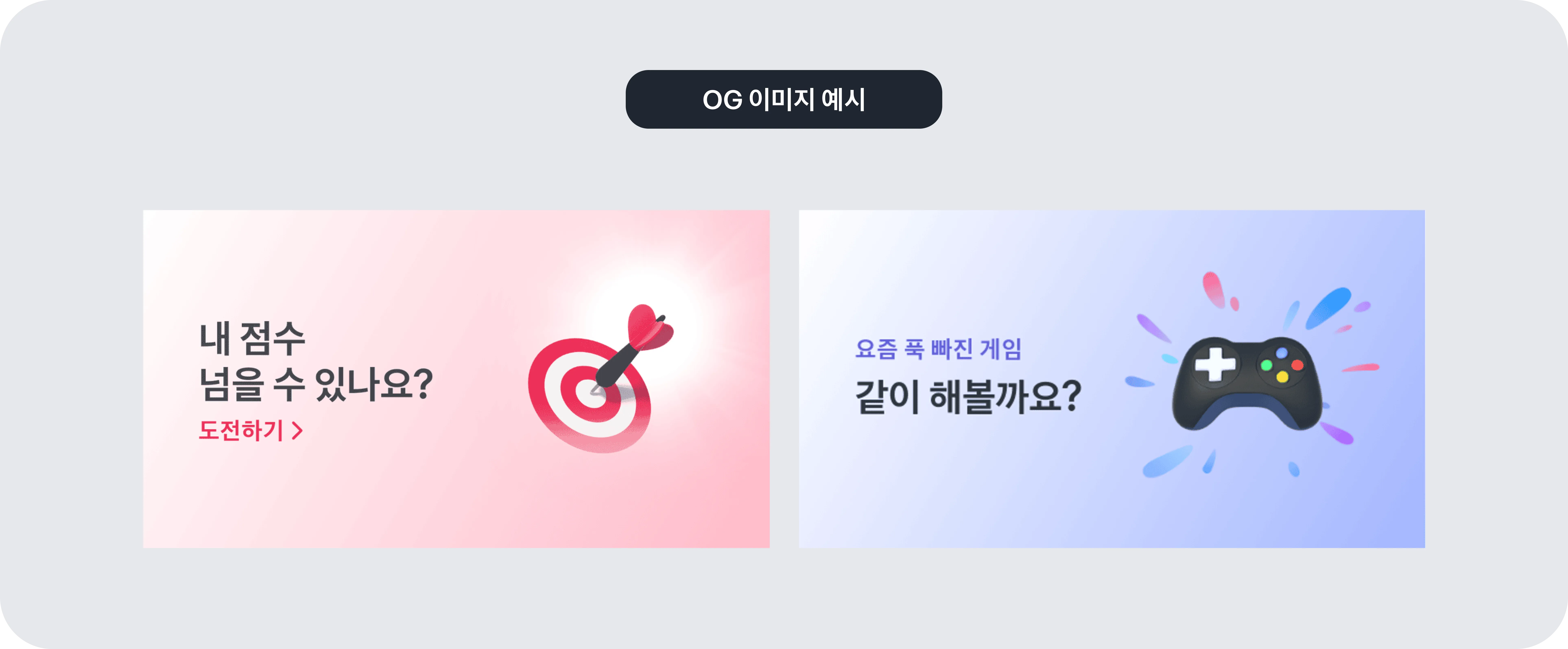
An OG image is the representative image that appears along with a mini app's shared link when it is shared on social platforms like KakaoTalk.\
Since it is the first visual element users recognize when they receive a link, it has a big impact on the first impression.\
In App in Toss, we provide the OG image feature so partners can market more effectively.\
When you share a mini app link, you can pre-set the thumbnail image that appears automatically.
***
### What are the benefits of using OG images?
**You can increase awareness of your mini app.**
You can display an image that captures the mini app's atmosphere or key message. Users can easily understand what the service is just by looking at the link.
**It can lead to more mini app visits.**
If a visually eye-catching image appears alongside the link, users are more likely to click it. As a result, it can naturally lead to visits to the mini app.
**You can effectively show the information you want to convey.**
You can intuitively communicate important content such as events or campaigns by including it in the image.
***
### OG Image Rules
The following are the standards that must be followed when using OG images.\
If any violations are found during monitoring, you may be asked to make revisions or have exposure limited.
**Please create the image size as 1200 × 600**
OG images must be created at 1200 pixels wide and 600 pixels high.
**Please use a high-quality image**
Please upload a clear image. Low-quality images can reduce the overall quality and negatively affect the impression of the service.
**Do not include sensitive or inappropriate terms**
Please do not use provocative terms such as profanity, slang, or political expressions. It is important to use expressions that are not uncomfortable for anyone.
**Do not put too much text on the thumbnail**
Text that is too large or designed to be overly attention-grabbing cannot be used. If there is too much text, the image may look cluttered. However, slogans used with a logo, or auxiliary text that helps explain the image, can be used if the size and placement are appropriate.
**Please refer to the writing guide**
Please use copy that matches Toss's brand voice. Detailed standards can be found in the [UX Writing Guide](https://appsintoss.gitbook.io/appsintoss-docs/landing-page/design/consumer-ux-guide).
***
### Apply OG images
Now that you've reviewed the concept and rules for OG images, it's time to actually apply them to your mini app.\
You can find how to create a Toss app sharing link in the developer documentation.
---
# Agent Instructions
This documentation is published with GitBook. GitBook is the documentation platform designed so that both humans and AI agents can read, navigate, and reason over technical content effectively. Learn more at gitbook.com.
## Querying This Documentation
If you need additional information that is not directly available in this page, you can query the documentation dynamically by asking a question.
Perform an HTTP GET request on the current page URL with the `ask` query parameter, and the optional `goal` query parameter:
```
GET https://developers-apps-in-toss.toss.im/guide/en/marketing/open-graph.md?ask=&goal=
```
`ask` is the immediate question: it should be specific, self-contained, and written in natural language.
`goal` is optional and describes the broader end goal you are ultimately trying to accomplish on behalf of the user. GitBook uses it to tailor the answer towards what is most useful for that goal.
The response will contain a direct answer to the question and relevant excerpts and sources from the documentation.
Use this mechanism when the answer is not explicitly present in the current page, you need clarification or additional context, or you want to retrieve related documentation sections.